
Admin Support
Welcome to our Admin Support Page! Here, you'll find all the resources you need to navigate your account with ease.
Dive into our Admin Dashboard Guide for a comprehensive walkthrough of your account, including how to download VR videos.
Explore our VR Headset Guides for detailed instructions and tips on optimizing your virtual reality video experience.
And if you need personalized assistance, our Support Ticket form is ready to recieve feature requests or platform issues. Let's make your CareerViewXR journey smooth and efficient together!
Administrator Dashboard Guide
The Admin Dashboard is a central location for CareerViewXR admins to download VR video files, view location analytics, and more.
Explore the tabs below for detailed instructions; click the Admin Login button to begin!
Password setup for your admin account is sent in an automated email to the email address provided during account setup.
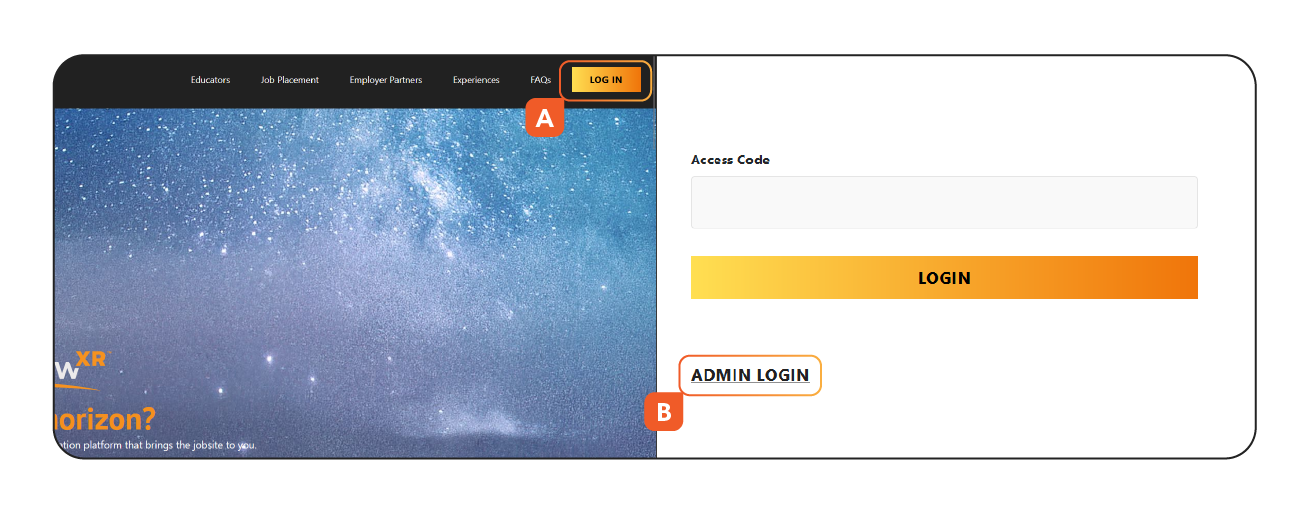
From the homepage, there are two ways to access the admin login page.
- If the login button is visible in the upper right corner, click on the button to login.
- Then, click admin login
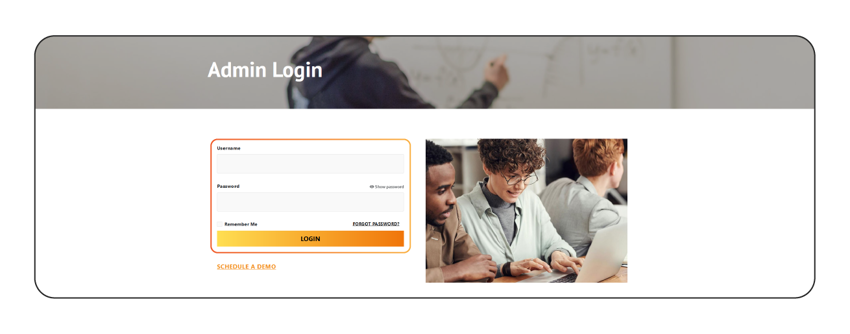
Once you’ve reached the log in page, use your email and password to access the dashboard. Use the forgot password function if you need to reset your password. If you have forgotten your user name, contact us for assistance.
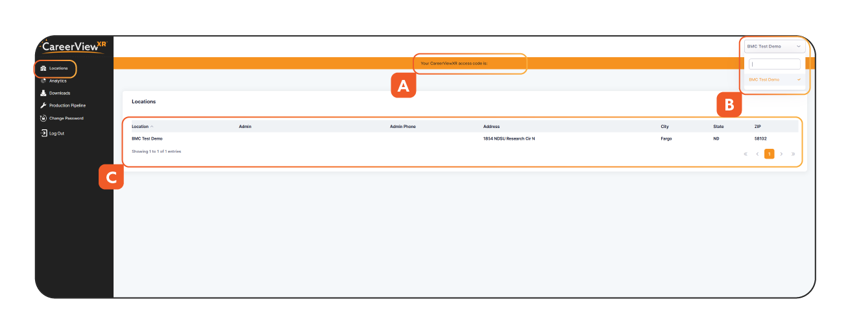
- Access Code Banner – features the access code for the location that is selected in the upper right corner dropdown.
- Account admins have the ability to switch between locations affiliated with their account.
- Location admins will see their contact information. Account admins could see multiple locations.
Note: Location admins will only see their own location and access code.
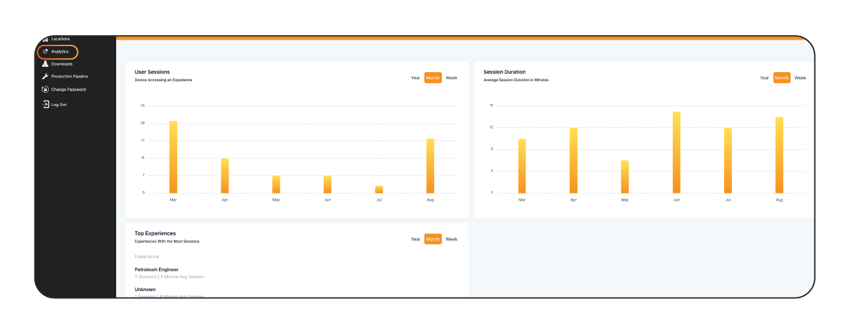
The analytics tab includes various graphs to see how CareerViewXR is being used in your organization. This information includes: user sessions, session duration, and top experiences. The data can be filtered by year, month, and week.
Account admins can see graphs featuring data relating to any of the affiliated locations under their account by selecting a location in the dropdown in the upper right corner.
Location admins can see graphs featuring data only from their location’s access code uses.
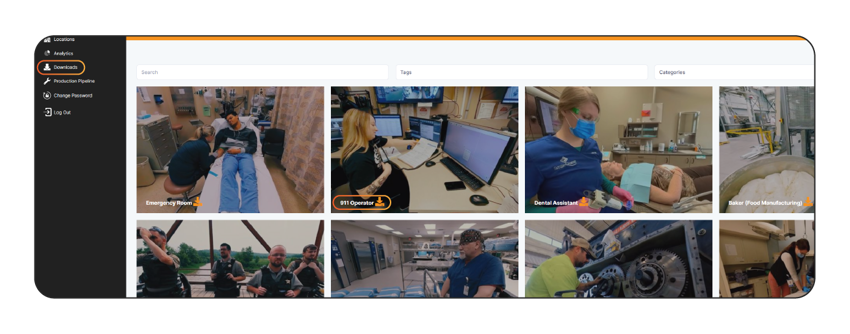
Click on the Downloads tab on the left-hand side.
The Downloads tab provides access to download every 360° VR video file that is currently available on the CareerViewXR platform. These videos are 4k resolution and can be used by putting them onto your VR headset’s SD card or placed into your VR headset’s folder structure.
To download any VR video file, click the orange download button on the video thumbnail. The VR video file will download to the Downloads folder on your computer.
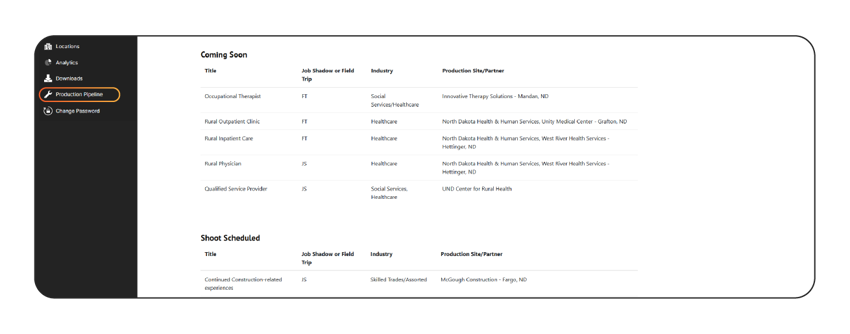
Brings users to a page that outlines the current library of content as well as experiences that are coming soon. This is periodically updated to keep subscribers up to date on the exciting new things to look out for.
Allows you to reset or change your administrator password.
VR Headset Guides
Need help with your VR Headset? Visit our resources page to learn more!
Submit a Support Ticket
Are you a current subscriber with a feature request or a platform issue? Submit a support ticket here and our team will help out as soon as possible! If you have an urgent matter, please reach out to us at 1-833-438-2897 for more immediate assistance.